
CUSTOMER SERVICE · SUPPORT TICKETS
Universal Helpdesk.
Support beside the order.
- Who it helps
- Stores that answer order questions all day and want support inside Magento.
- What changes
- Customers open tickets from My Account or the order page, and your team answers from the admin.
- Tickets from My Account, the order page or as a guest
- Departments, saved replies and internal notes
- Checklists that ask for photos and numbers
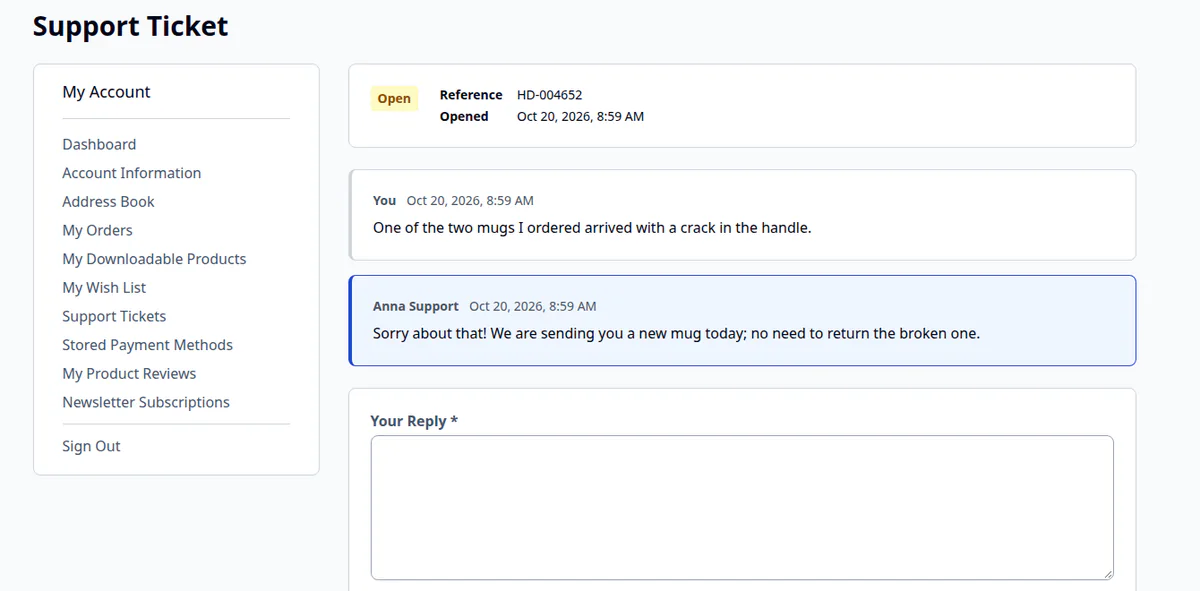
Customer support tickets inside Magento: customers ask from My Account or the order page, your team answers from the admin, and every message goes out by email.
8.1–8.5
PHP
2.4.6+
Magento Open Source
Compatible
Mage-OS
1.3–1.5
Hyvä
v 1.0.0 — RELEASED 29 days ago
composer require qoliber/helpdesk
Product details
Answer customer questions where the order already lives.
Support usually happens somewhere other than the store. Agents copy order numbers between two systems, customers repeat themselves, and emails get lost when the mail server fails.
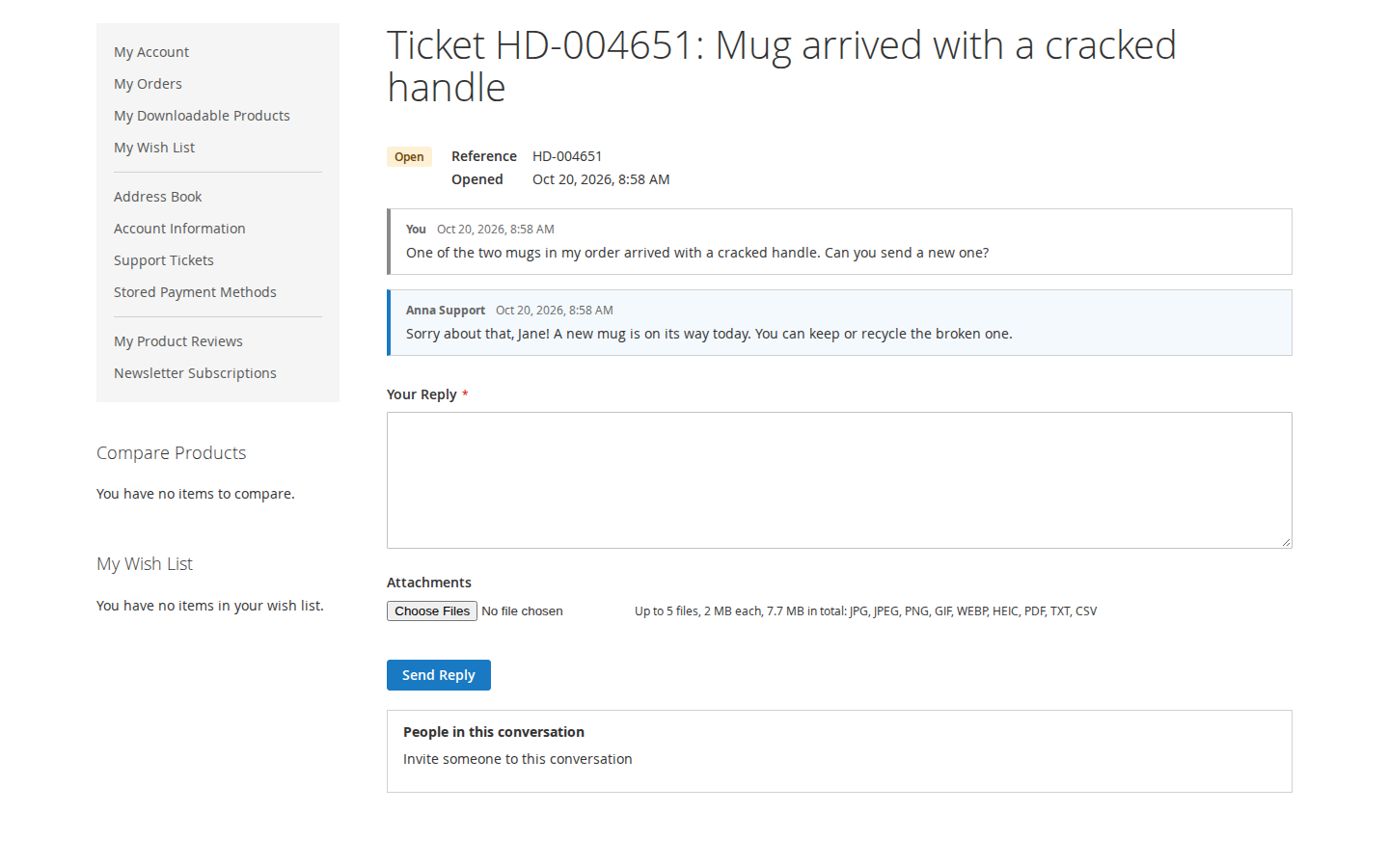
Universal Helpdesk keeps the conversation in Magento. Customers open tickets from My Account or the order page, your team answers from the admin, and both sides get every message by email. Tickets, files and emails stay in your Magento database, your var folder and your mail server.
Who it is for
- Stores that answer order questions all day. Tickets link to the customer's own orders, and shipments, refunds and cancellations are posted to the open tickets about the order.
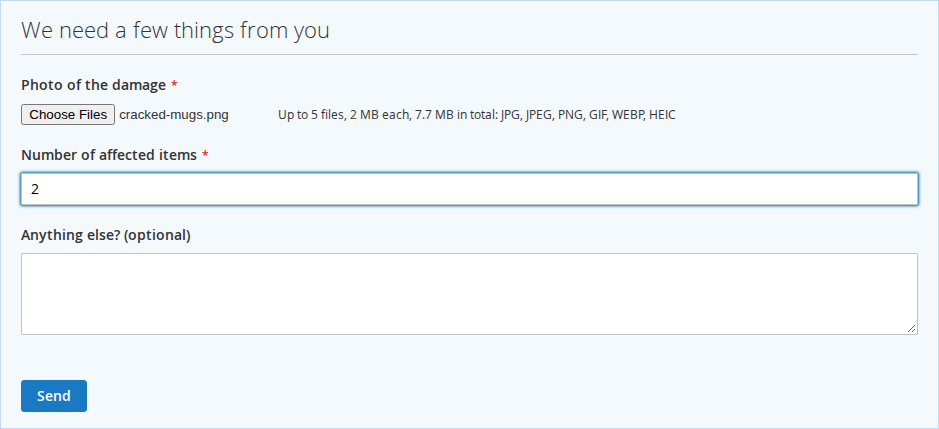
- Stores that handle damage and return claims. Agents ask for exactly the photos and numbers they need, and the customer answers in one form.
- Stores whose buyers do not always have an account. Guest tickets work with an email address and a confirmed personal link, and can later move into the customer's account.
- B2B and wholesale stores. Customers invite a colleague, or your team invites a supplier, into the conversation without an account.
How a ticket runs
- The customer asks. They pick a topic from your list, so the grid shows "Returns and refunds" rather than whatever they typed as a subject.
- The right team gets it. Departments have their own queue and inbox, offered only to the store views they serve.
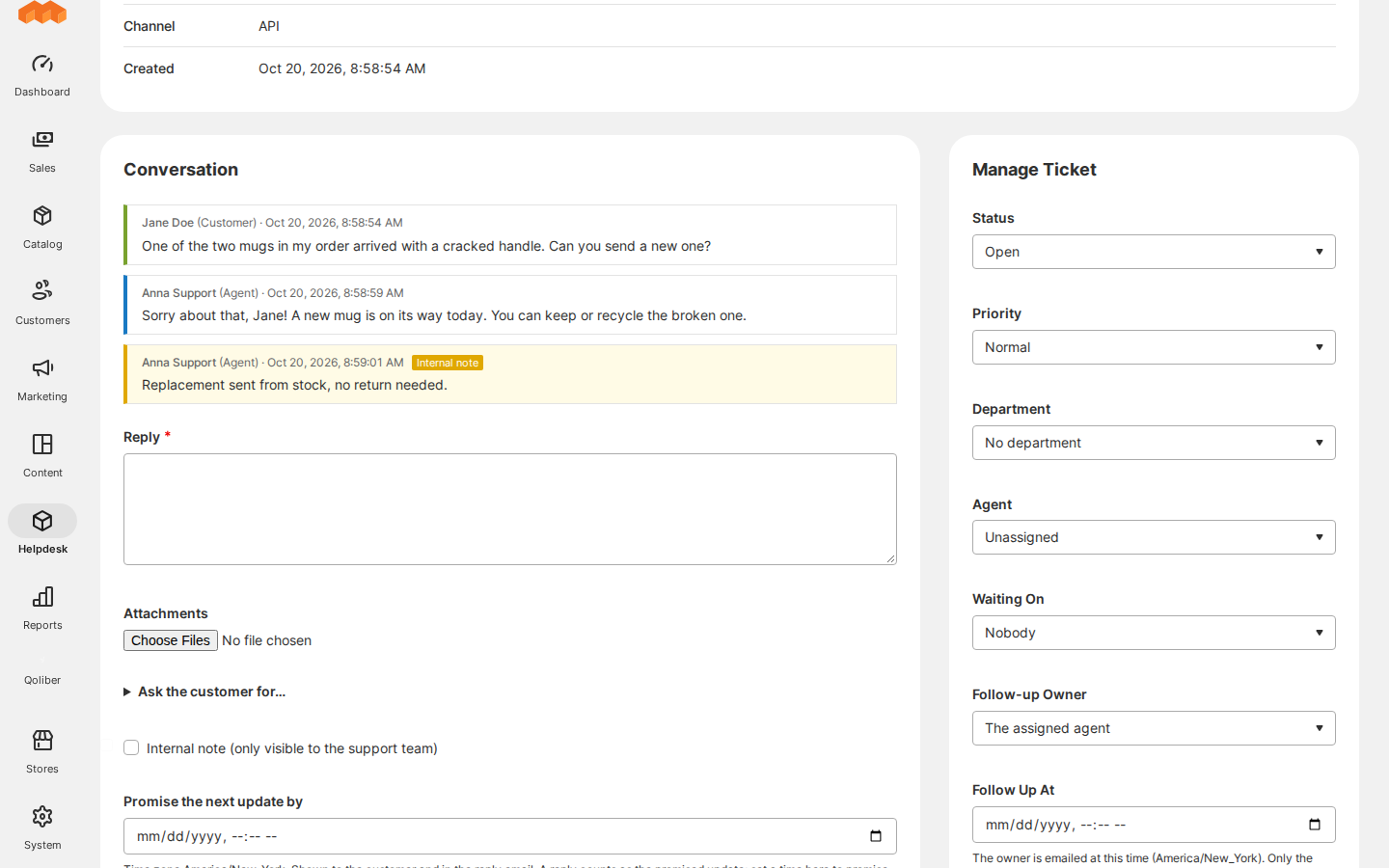
- An agent answers. Replies, internal notes, status, priority, agent and department sit on one screen. Saved replies fill in placeholders such as the customer's first name and the ticket reference.
- The agent asks for what is missing. A checklist puts "We need a few things from you" on the ticket page, with a photo field and a number field, and the answers land next to the items in the admin.
- Order updates post themselves. A tracking number, refund or cancellation reaches the open ticket about the order, and the customer is emailed.
- The ticket closes. The agent marks it Resolved, the customer confirms "Solved, thank you", and resolved tickets close by themselves.
Also included
- Your own ticket statuses, in every store view's language.
- Follow-ups: note who you are waiting for and promise the next update, and the agent is reminded before that date.
- Private attachments, with previews that drop a photo's location data.
- Stored emails that are retried when the mail server fails and listed on the ticket with their state.
- Privacy requests: find, download and erase a person's support data, also from the command line.
- REST API for your ERP, chat or customer app.
Requirements
| PHP | 8.1 to 8.5, as your Magento release supports it, with fileinfo and zlib. Add zip to accept docx, xlsx and odt attachments. |
|---|---|
| Platform | Magento Open Source 2.4.6 or later, or Mage-OS |
| Cron | Magento cron, for the default group and the qoliber_helpdesk_previews group |
| Hyvä (optional) | qoliber/helpdesk-hyva on Hyvä 1.3 to 1.5, CSP themes included |
| CAPTCHA (optional) | qoliber/helpdesk-captcha for the two guest forms |
Limitations
- Replies happen on the site and in the admin. Replies sent by email are not imported into tickets.
- Attachments live in
var/qoliber_helpdesk, which must be shared between web nodes and deployments. - Hyvä stores need the Hyvä package, and CAPTCHA on the guest forms needs the CAPTCHA package.
FAQ
Does it need an outside helpdesk subscription?
No. It runs in your store. Only the optional reCAPTCHA calls an outside service.
Can guests open tickets?
Yes, once you turn on Allow Tickets Without an Account. Guest tickets reach the team only after the guest has confirmed the address, with per-visitor limits and optional CAPTCHA.
Can customers reply by email?
No. Emails carry the messages out, but replies are written on the site or in the admin.
What does it need from cron?
Cron sends and retries emails, closes resolved tickets, sends reminders and makes photo previews, so it must be running.
How are privacy requests handled?
One screen finds, downloads and erases everything the helpdesk stores about an email address, and the same work can be done from the command line.
WHAT IT FIXES
No more copying order numbers between two systems.
Tickets link to the customer's own orders, and shipments, refunds and cancellations are posted to the open tickets about the order. Agents ask for what they need once, and everything stays in your Magento database, your var folder and your mail server.
- Tickets from My Account, the order page or as a guest ● channels
- Departments, saved replies and internal notes ● team
- Checklists that ask for photos and numbers ● evidence
- Shipping, refund and cancellation updates on the ticket ● orders
- Stored emails, retried when the mail server fails ● delivery
- Find, download and erase a person's support data ● privacy
INSTALL · COMPOSER
Base package, plus what you need.
Hyvä stores add the Hyvä package. CAPTCHA on the two guest forms is a separate package too. Magento cron must run: it sends emails, closes resolved tickets and makes photo previews.
# Once per project: add your private qoliber repository
# (the exact command is in your account → Composer & keys)
composer require qoliber/helpdesk
# Hyvä storefronts:
composer require qoliber/helpdesk-hyva
# CAPTCHA on the guest forms:
composer require qoliber/helpdesk-captcha
php bin/magento setup:upgrade
✓ Then set the Staff Notification Recipient under Helpdesk → Settings.
FROM THE COMMUNITY
Customer reviews
Write a review
Write Your Own Review