
DEPLOYMENT · STAGING TO PRODUCTION
Content Bridge.
Staging to production, reviewed.
- Who it helps
- Agencies and teams that prepare changes on staging and promote them to production.
- What changes
- Approved content, catalog and rules move in one reviewed, audited step, matched by code and SKU, not database ID.
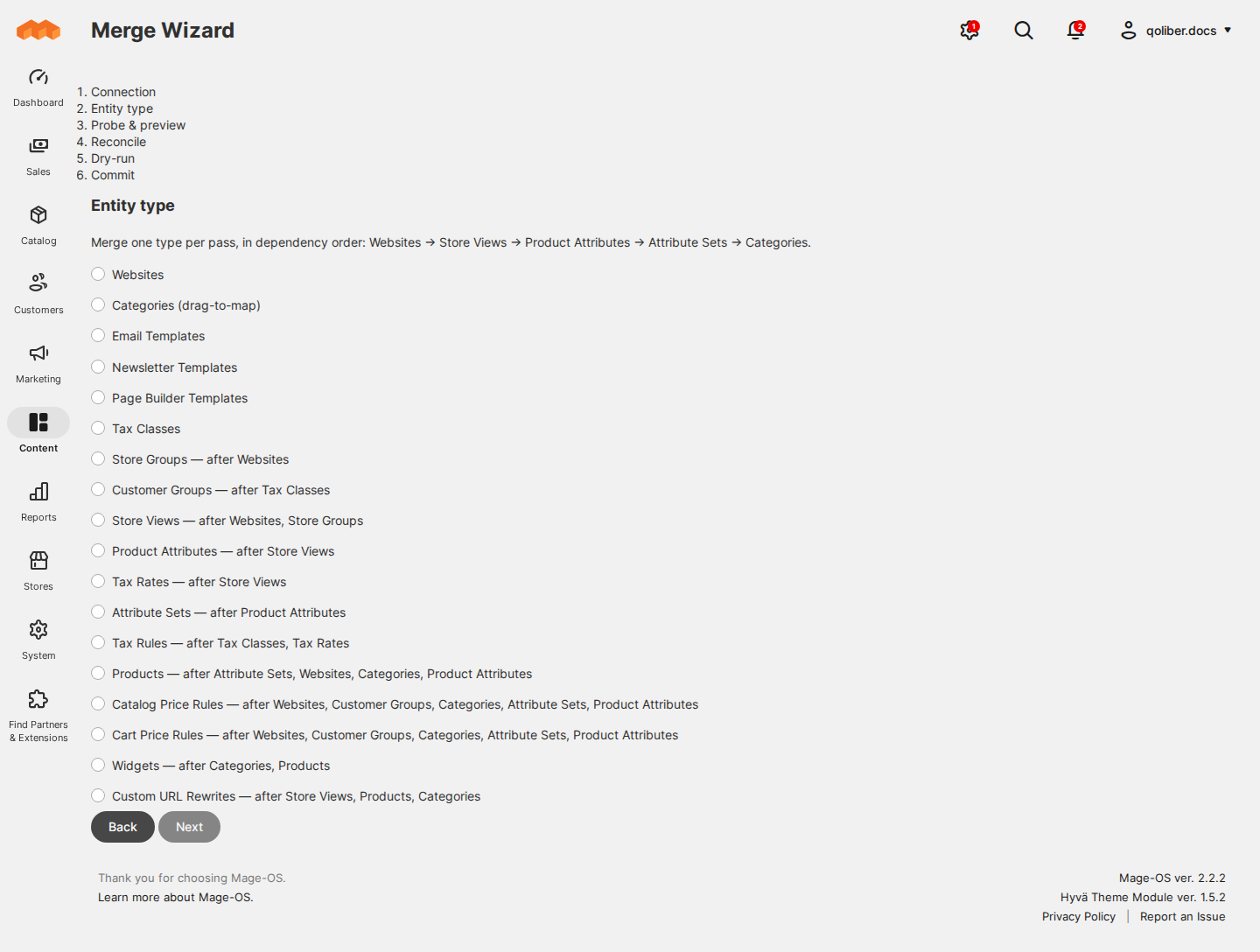
- Merge Wizard for 18 entity types, in dependency order
- Mandatory dry run, and a commit bound to that preview
- Sync profiles that send only what changed
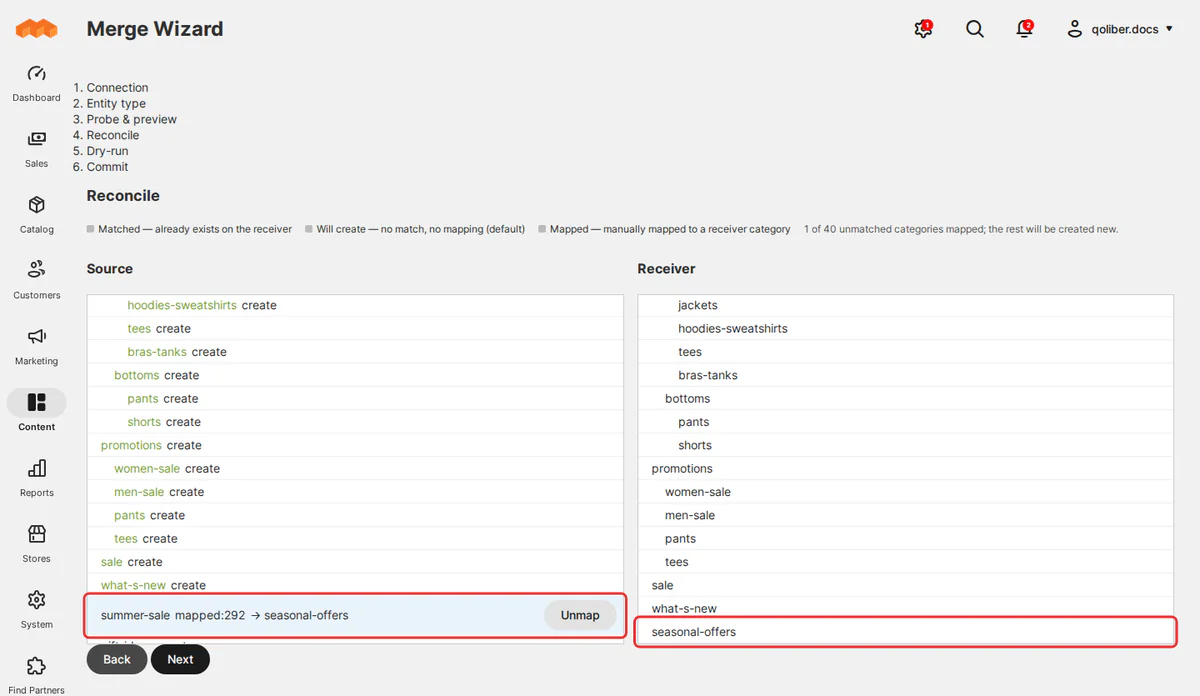
Promote store structure, catalog, price rules and CMS content from staging to production as one reviewed, audited step, matched by code and SKU instead of database ID.
8.3–8.4
PHP
2.4.8+
Magento Open Source
2.x
Mage-OS
v 1.0.0 — RELEASED 30 days ago
composer require qoliber/content-bridge-metapackage
Product details
Promote staging changes to production without a database dump.
Two Magento installations number their records differently. A category, block or rule that is number 12 on staging can be something else entirely on production, so a copied ID lands on the wrong record, and retyping the same changes by hand means checking them all over again.
Content Bridge promotes approved work as one reviewed, audited step. Every record and every reference inside it is matched by something both stores share: a code, a SKU, a URL path or an option label. If a reference has no match, the row fails and names what is missing. It never guesses.
Who it is for
- Teams that prepare changes on a separate instance, whether staging feeding production or a content instance feeding the live storefront.
- Multi-website and multi-store setups. Websites, store groups and store views merge by their codes, and CMS blocks and pages keep the store views they belong to.
- Merchandising and pricing teams. Catalog price rules, cart price rules, tax rules and widgets arrive with their conditions and scope pointing at production's own categories, customer groups and websites.
- Teams that must show who changed what. Pairings, pushes and merges are written to an audit log on both instances.
How the work moves
Copying a CMS block and reconciling two category trees are different problems, so there are two mechanisms.
Push
For content the receiving store should simply take over: CMS blocks and pages with their images, store views, customer groups, product attributes and allow-listed settings. Sync profiles send only what changed since the last run, and grid actions send exactly the items you selected.
Merge
For structure, catalog and rules that exist on both stores: websites, attributes and attribute sets, categories, products of every type, price and tax rules, widgets, templates and hand-made URL rewrites. The wizard works through one entity type at a time, in an order it works out for you.
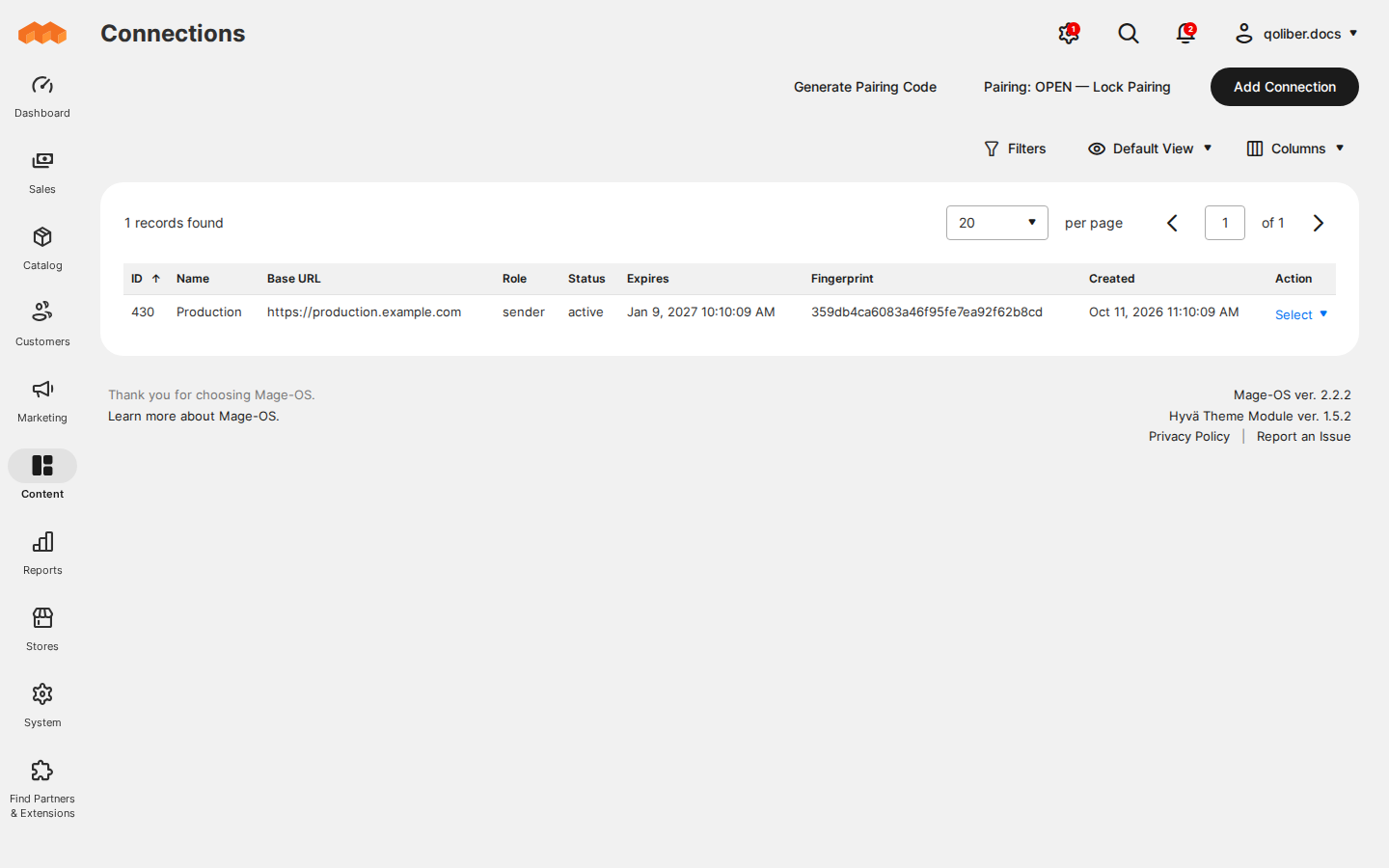
- Pair the stores. Generate a one-time code on the receiving store and enter it, with that store's URL, on the sending store. The connection can expire, and can be disabled or revoked.
- Pick what to promote. Run a sync profile, push selected items from a grid, or start the Merge Wizard. The category editor lets you point a staging category at an existing production category instead of creating a duplicate.
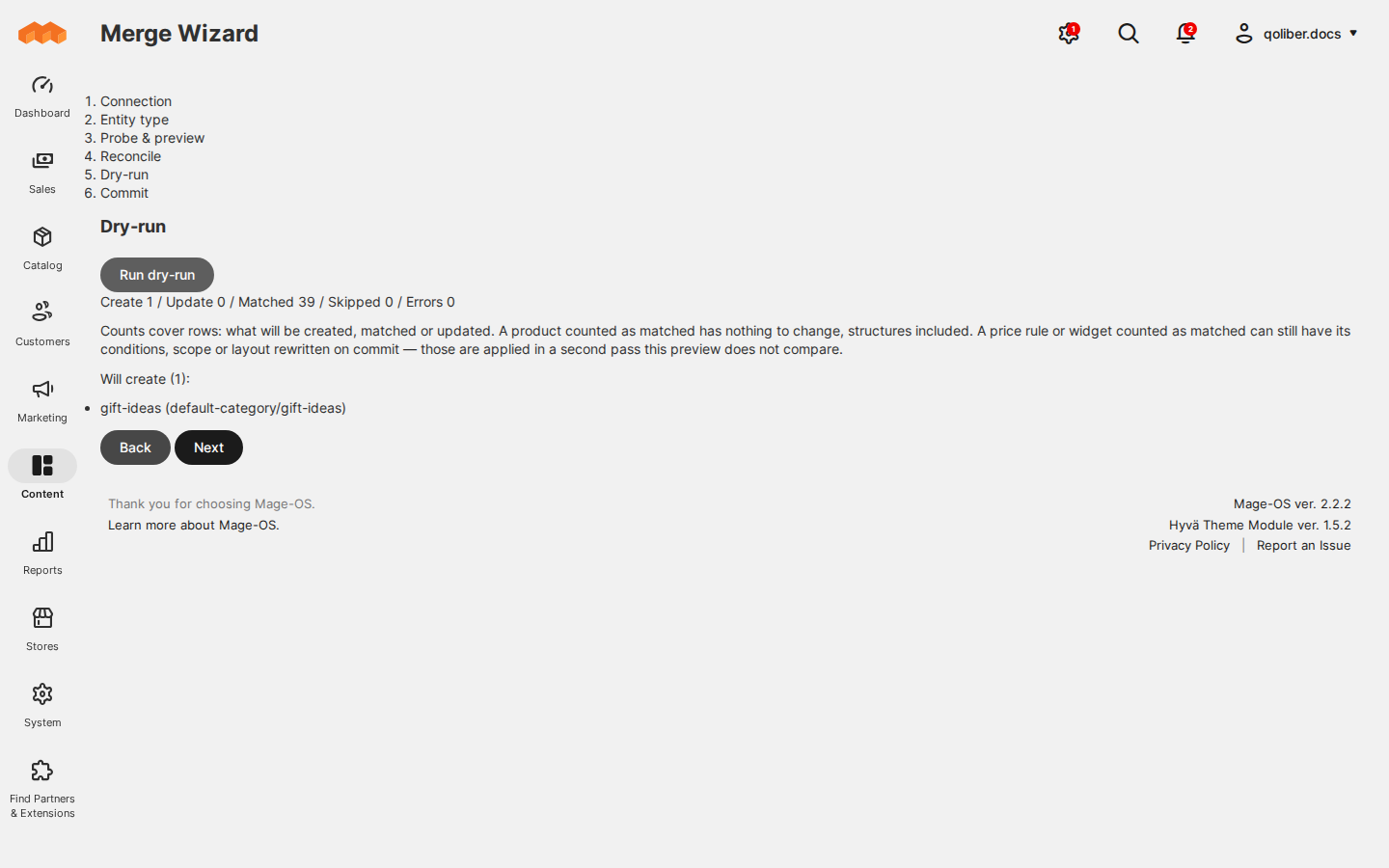
- Review a dry run. A merge cannot be committed without one. You see every row that would be created, updated or removed before anything is written.
- Commit. The commit is refused if the data changed since that dry run, and the result goes into the audit log.
Requirements
| PHP | 8.3 or 8.4 |
|---|---|
| Platform | Magento Open Source 2.4.8 or later in the 2.4 line, or Mage-OS 2.x |
| Instances | Two separate installations, each with its own database, running the same Content Bridge version |
| Network | HTTPS on both stores, and each store able to reach the other. A firewall, basic-auth prompt or maintenance page in front of the receiving store blocks it. |
| Cron | Magento cron on both stores |
Limitations
- Every transfer is started by an admin. Nothing is pushed on a schedule or when you save an item.
- Orders, customers, quotes, inventory quantities, payment, shipping and mail-transport settings, encrypted values and autogenerated URL rewrites do not travel.
- New product images need Send Product Images, which is off by default because a full catalog's images are too large for one request. Merge those products in smaller selections.
- A price rule whose conditions filter on a select attribute is refused rather than merged with option IDs that mean something else on production.
- The audit log has no grid in the admin. Entries are recorded on both stores and read as described in the docs.
FAQ
Do the two stores share a database or a third-party service?
No. The two installations talk to each other directly over HTTPS, and every request after pairing is signed with that connection's own secret.
Can a promotion delete anything on production?
No product, category, block or rule is ever deleted on the receiving store.
What happens when a reference has no match?
The row fails and names what is missing. For example, a CMS block that embeds a block production does not have is refused rather than stored to render someone else's content.
Which package goes on which store?
The sender package goes on the store that sends, usually staging, and the receiver package on the store that receives, usually production. A store in the middle of a dev, staging and production chain takes the metapackage, which installs both roles.
Do prices change as soon as a merge finishes?
A merge marks indexes such as the catalog price rule index for reindexing, so prices change on the next reindex. Apply Catalog Price Rules After Merge rebuilds them inside the merge request instead, which can run into the sender's timeout on a large catalog.
How do I upgrade?
Run the same version on both stores and upgrade the receiving store first. A mismatched pair fails rows until both stores match.
WHAT IT FIXES
Nothing lands on the wrong record.
Two Magento installations number their records differently, so copied IDs point at the wrong category, block or rule. Content Bridge matches every record and every reference by a code, SKU, URL path or option label, and fails the row by name when something has no match.
- Merge Wizard for 18 entity types, in dependency order ● merge
- Mandatory dry run, and a commit bound to that preview ● review
- Sync profiles that send only what changed ● push
- One-time pairing codes and signed requests over HTTPS ● security
- Audit log on both instances ● audit
- Orders, customers and payment settings never travel ● scope
INSTALL · TWO STORES
One role on each store.
Content Bridge connects two separate installations, so it goes on both. The package you install decides whether a store sends or receives.
# Once per project: add your private qoliber repository
# (the exact command is in your account → Composer & keys)
# On the store that sends, usually staging:
composer require qoliber/content-bridge-sender
# On the store that receives, usually production:
composer require qoliber/content-bridge-receiver
php bin/magento setup:upgrade
✓ Same version on both stores. Upgrade the receiving store first.
FROM THE COMMUNITY
Customer reviews
Write a review
Write Your Own Review