
MARKETING · GIFT CAMPAIGNS
Free Gift.
Campaigns that run themselves.
- Who it helps
- Stores running gift-with-purchase promotions next to their discounts.
- What changes
- Campaigns add the gift at no charge, respect a shopper who declines, and report what each one cost.
- Automatic, customer choice, spend tiers or one per N bought
- Five starter templates, disabled until you switch them on
- Coupons, redemption caps and a tax basis per campaign
Gift-with-purchase campaigns on their own screen: add the gift at no charge, respect a shopper who declines, and see what each campaign cost.
8.1–8.5
PHP
2.4.6–2.4.9
Magento Open Source
1.5.2
Hyvä
v 1.0.0 — RELEASED 1 month ago
composer require qoliber/free-gift
Product details
Gift-with-purchase campaigns that run themselves.
Free gifts are awkward to run with discount rules. The gift has to appear when a basket qualifies, disappear when it stops qualifying, stay out if the shopper declined it, and survive running out of stock without breaking the basket. Afterwards, someone still has to work out what the campaign cost.
Free Gift gives campaigns their own screen and tables, so they never compete with Cart Price Rules. A campaign decides when a basket qualifies, adds the gift at no charge, advertises only on the surfaces you allow, and lets the shopper say no thank you and mean it.
Who it is for
- Stores running gift promotions next to their discounts.
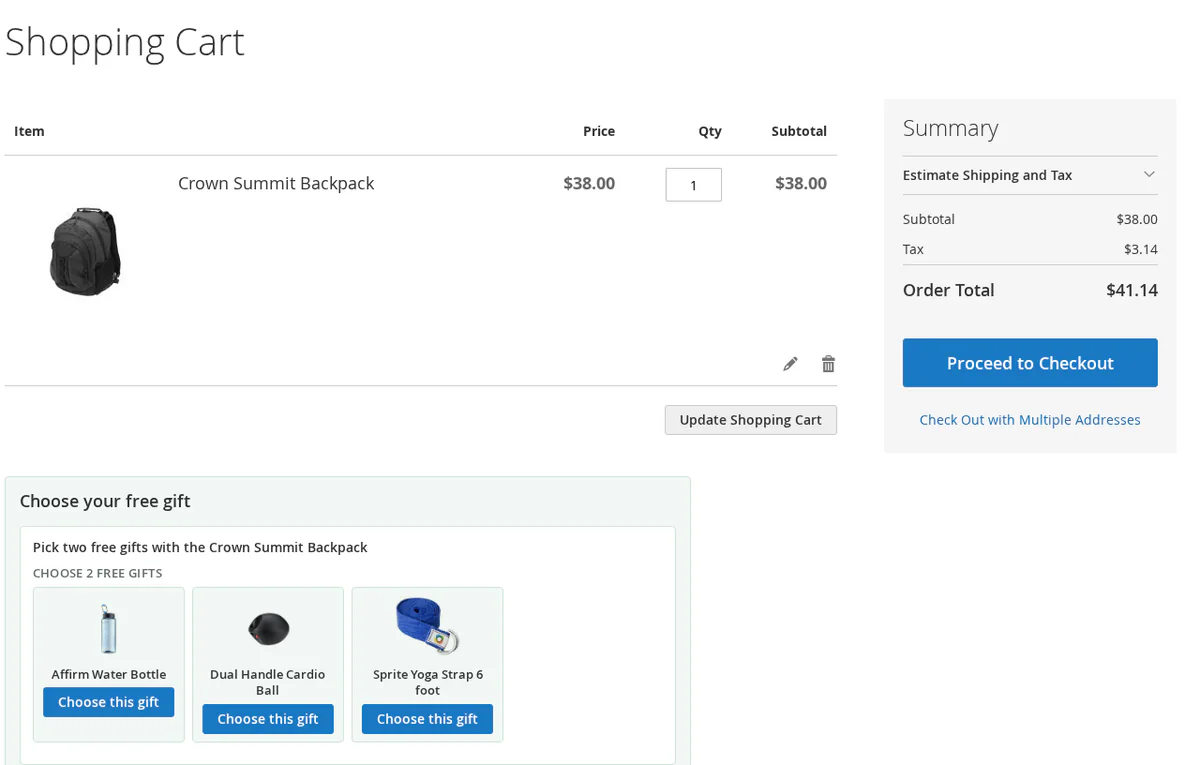
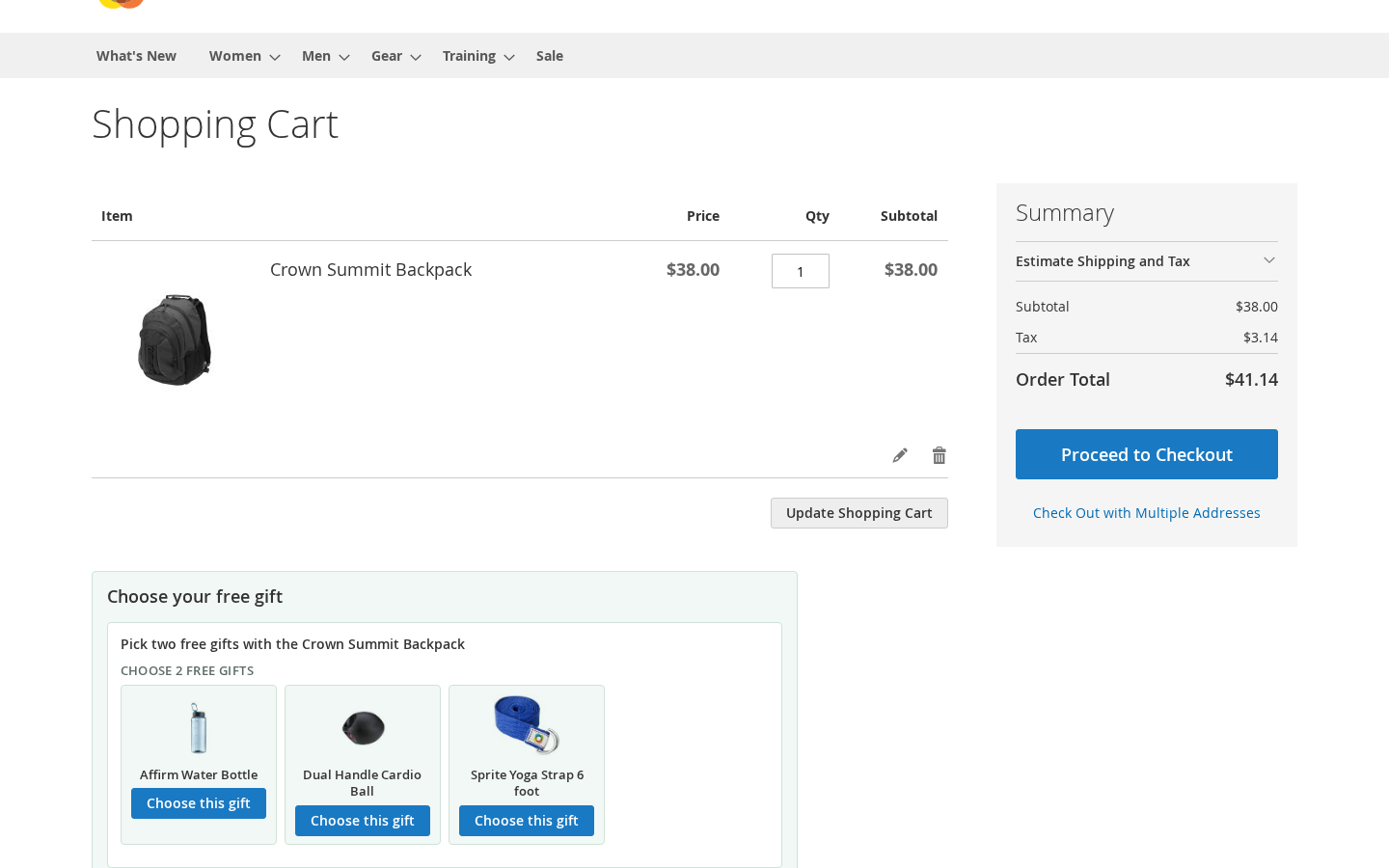
- Stores that let the customer choose. Offer a pool and an allowance, and the cart shows a card with the choices and how many picks are left.
- Stores that run buy-X-get-Y, same-SKU BOGO or spend tiers.
- Headless and PWA storefronts. REST and GraphQL run over the same engine the cart page uses.
- Stores on Hyvä, with templates for every storefront surface.
How a campaign runs
- Start from a template. Five ready-made drafts cover spend threshold, customer choice, spend tiers, buy X get Y and BOGO. Each stays disabled until you switch it on.
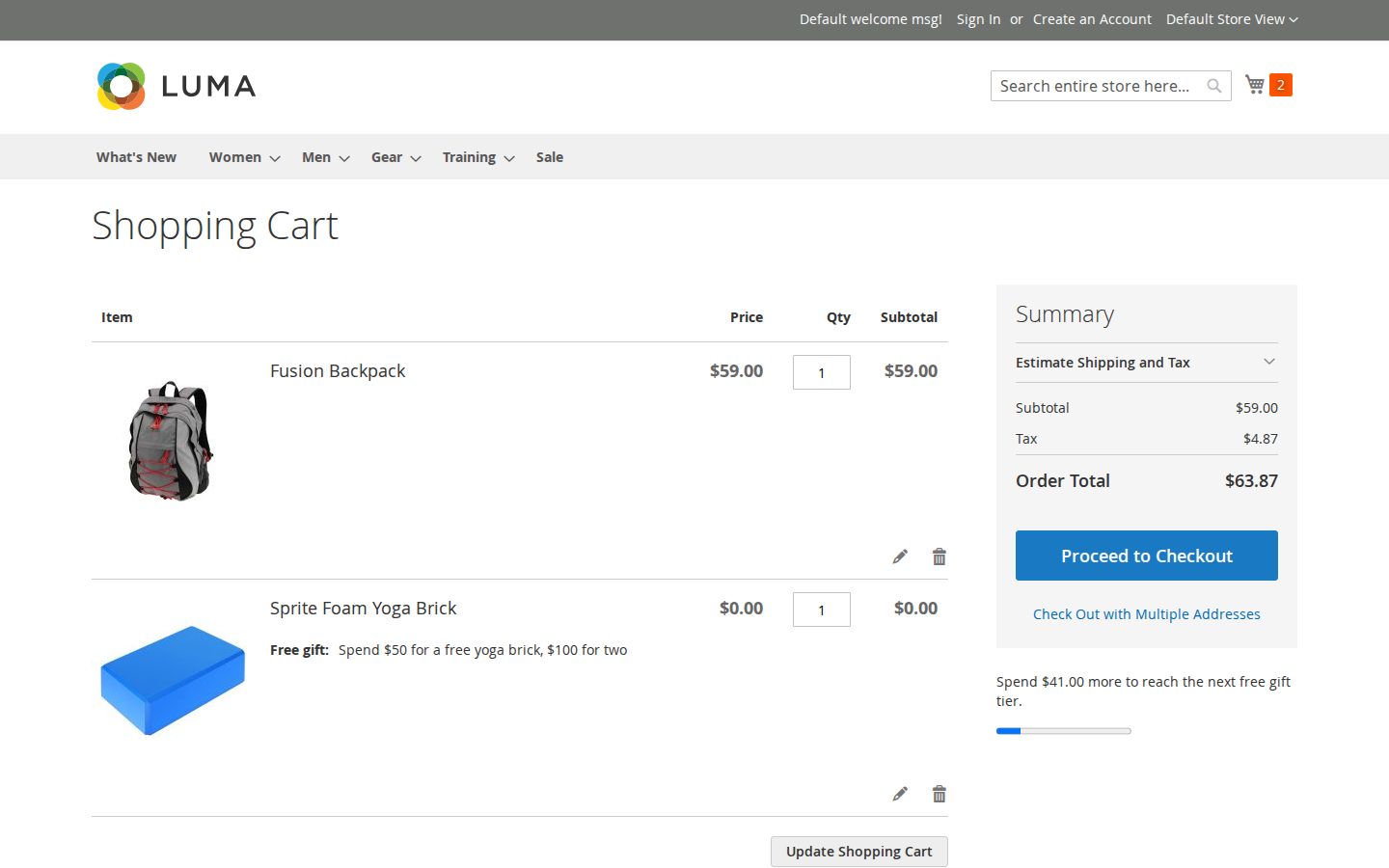
- Choose the gift mode. Add automatically, let the customer choose, tier by spend, or give one per N bought.
- Set conditions and limits. Qualify a basket by product or merchandise value, unlock a gift with a coupon, and cap redemptions per customer and in total. Each campaign also sets the gift's tax basis.
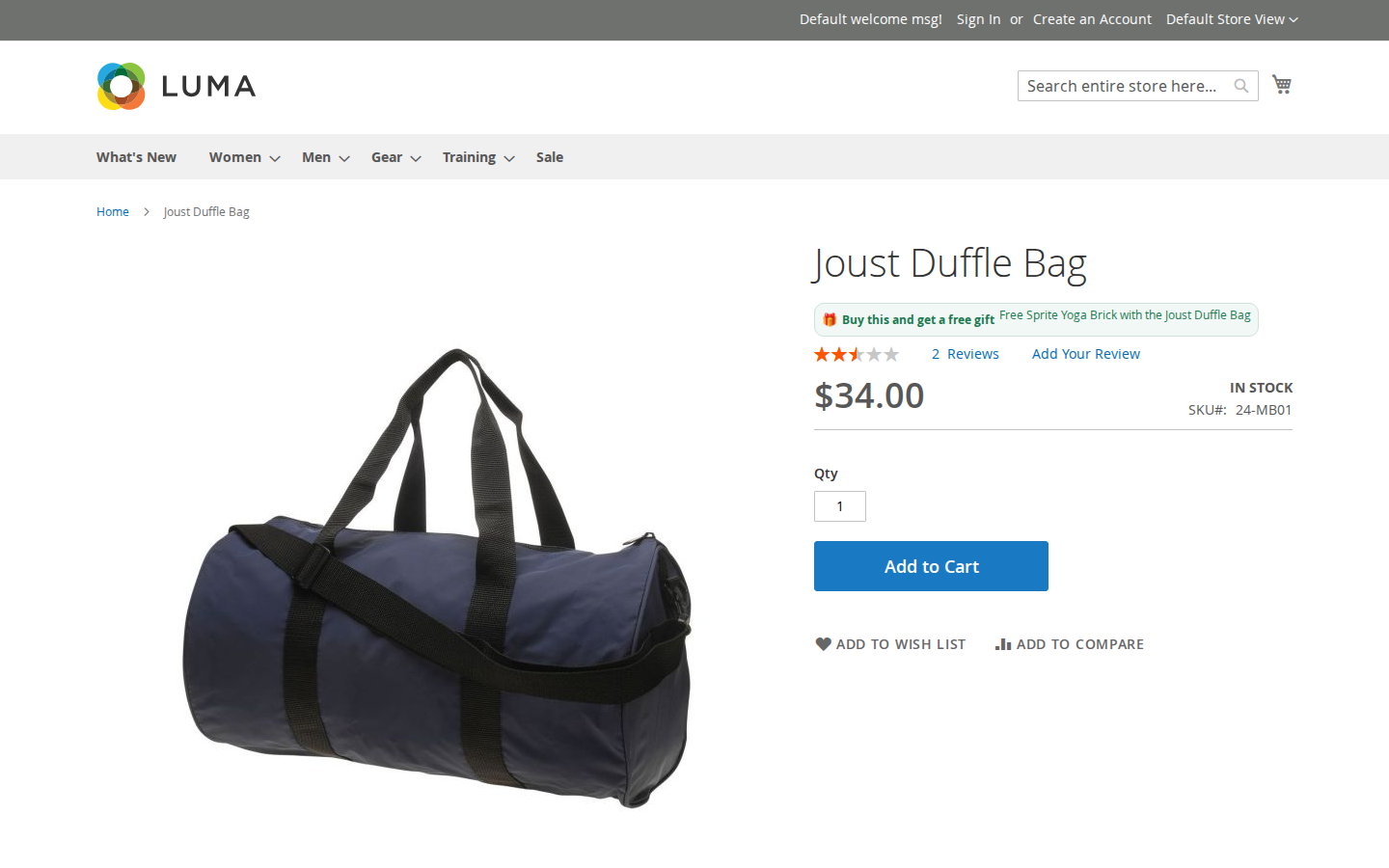
- Choose where it advertises. Product and category badges, an add-to-cart popup, and a widget placed from Content → Widgets.
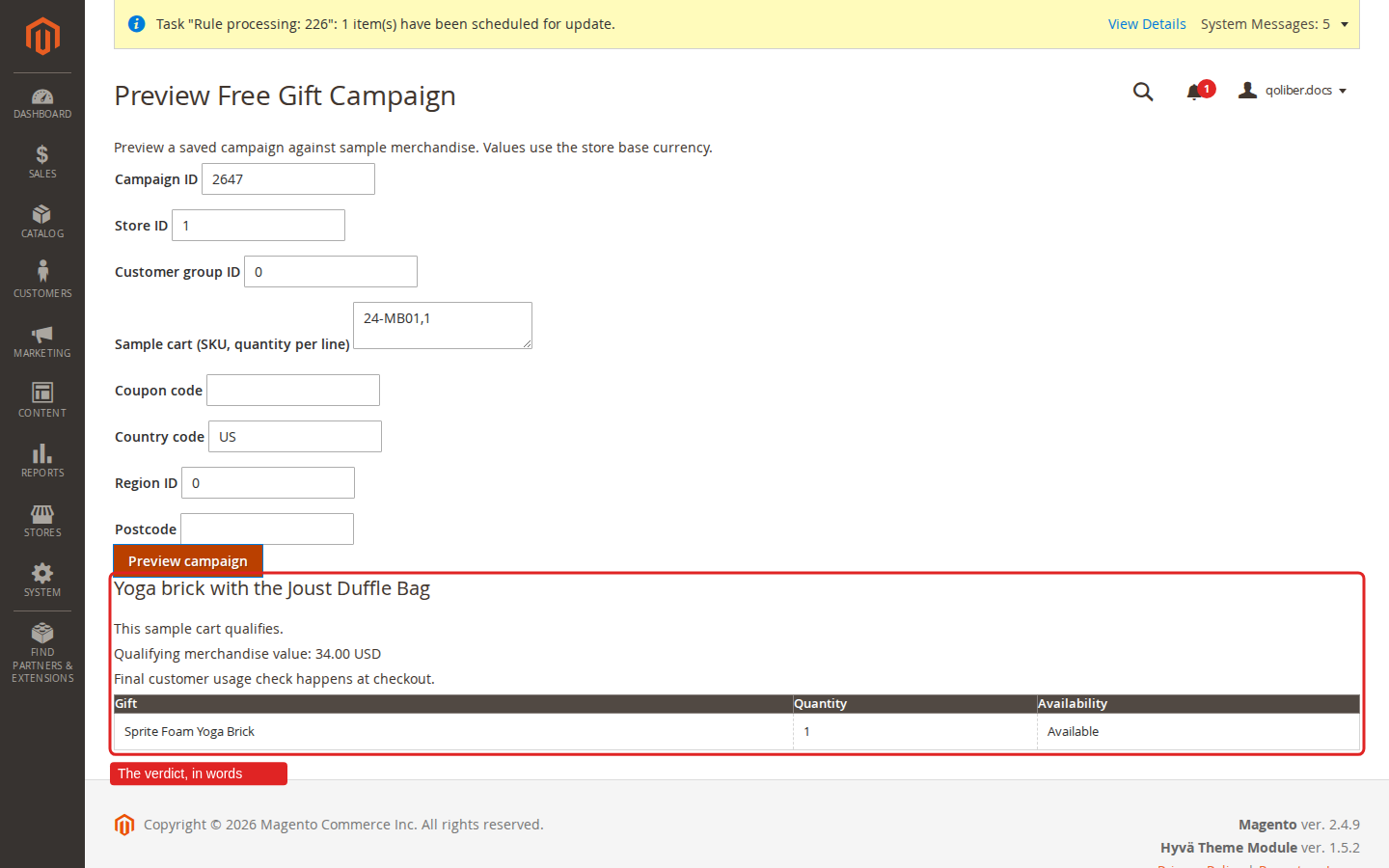
- Preview it. Evaluate the saved campaign against a sample cart and read, in words, why it qualifies or not.
- Go live and read the report. Campaigns start and stop on their dates with no reindex on launch day. The report shows orders, gift units, catalog value and influenced revenue per campaign and store, with a CSV export.
Requirements
| PHP | 8.1 to 8.5: 8.1 with Magento 2.4.6, 8.2 or 8.3 with 2.4.7, 8.3 or 8.4 with 2.4.8, 8.5 with 2.4.9 |
|---|---|
| Platform | Magento Open Source 2.4.6 to 2.4.9. Other platforms need their own validation. |
| Hyvä (optional) | qoliber/free-gift-hyva on Hyvä Theme 1.5.2 |
| Hyvä Checkout (optional) | qoliber/free-gift-hyva-checkout on Hyvä Checkout 1.3.10.1, with your own Hyvä Checkout license |
| Multi-Source Inventory (optional) | qoliber/free-gift-msi, only if you run multiple sources |
Limitations
- Release 1 gives away simple, virtual and downloadable products. A configurable gift, or a product with required custom options, is refused when you save.
- Basket-earned and coupon-gated campaigns show no product badge, by design.
- Native single-address checkout is supported. Native multishipping is outside the supported paths.
- Backorderable gifts are off by default.
FAQ
Does it conflict with my Cart Price Rules?
Campaigns have their own screen and their own tables, so they do not compete with Cart Price Rules over the same form.
What happens when a shopper removes a gift?
The refusal sticks. The gift is not pushed back on the next page view, and the shopper can change their mind later from the same panel.
What if the gift runs out of stock?
It is withdrawn without disturbing the rest of the basket. You can hide an unavailable gift or show it grayed out.
How is the gift taxed?
Each campaign decides whether its gift is taxed on the promotional price the customer pays or on the original catalog price, and the choice carries through cart, order, invoice and refund.
Will a later price change alter the report?
No. The report records each gift's catalog value when the order is placed.
Does it work through the API?
Yes. Gifts are reconciled when the quote collects its totals, so a qualifying basket gets its gift whether the change came from the storefront, REST, GraphQL or an admin building the order.
WHAT IT FIXES
A refusal that sticks.
Gifts are reconciled when the quote collects its totals, so a qualifying basket gets its gift from the storefront, the API or an admin order. A shopper who removes a gift does not get it pushed back on the next page view.
- Automatic, customer choice, spend tiers or one per N bought ● 4 gift modes
- Five starter templates, disabled until you switch them on ● templates
- Coupons, redemption caps and a tax basis per campaign ● limits
- Preview a campaign against a sample cart ● preview
- Report with the gift's value on the order date ● cost
- REST and GraphQL over the same engine ● headless
INSTALL · COMPOSER
Core package, plus companions.
Hyvä, Hyvä Checkout, GraphQL and Multi-Source Inventory are separate packages, so you install only what the store runs.
# Once per project: add your private qoliber repository
# (the exact command is in your account → Composer & keys)
composer require qoliber/free-gift
# Hyvä storefronts:
composer require qoliber/free-gift-hyva
php bin/magento setup:upgrade
✓ Start from a template under Marketing → Promotions.
FROM THE COMMUNITY
Customer reviews
Write a review
Write Your Own Review